Start the server
One Docker container. Paste a YAML into ZimaOS or run one command, then create your admin account.
$ docker run -p 8080:8080 \
ghcr.io/jirkacepelka/obsisync
SimpleSync is a small server and an Obsidian plugin. Enter the server address, your name and password, then pick a vault. Your notes live on a ZimaOS box, a NAS or a €4 VPS, and nowhere else.
 Your server
No config files, no database to set up, no cloud account. The setup guide walks through each step with screenshots.
One Docker container. Paste a YAML into ZimaOS or run one command, then create your admin account.
Install SimpleSync from Obsidian's community plugins and fill in three fields.
Choose a vault from the list and click Connect. Every device you connect stays in sync.
Built for a household or a small team: one server, a few vaults, every device you own.
Every change gets the next revision number. The server announces it over a WebSocket, and each device fetches only what it hasn't seen yet.
Preview any earlier version in the browser and restore it.
Per vault, kept as long as you choose.
Share a vault with family or a team.
An empty new device can never overwrite your vault.
Download a vault with the plugin already set up. Open it, type your password.
Go and SQLite, tens of MB of RAM, amd64 and arm64.
The plugin and the web admin: English, Čeština, Slovenčina, Deutsch, Français, Español, Italiano and Polski.
Every vault opens in a full editor on your server. On a work computer, a borrowed laptop or a phone without the app, and for people who never installed Obsidian at all.
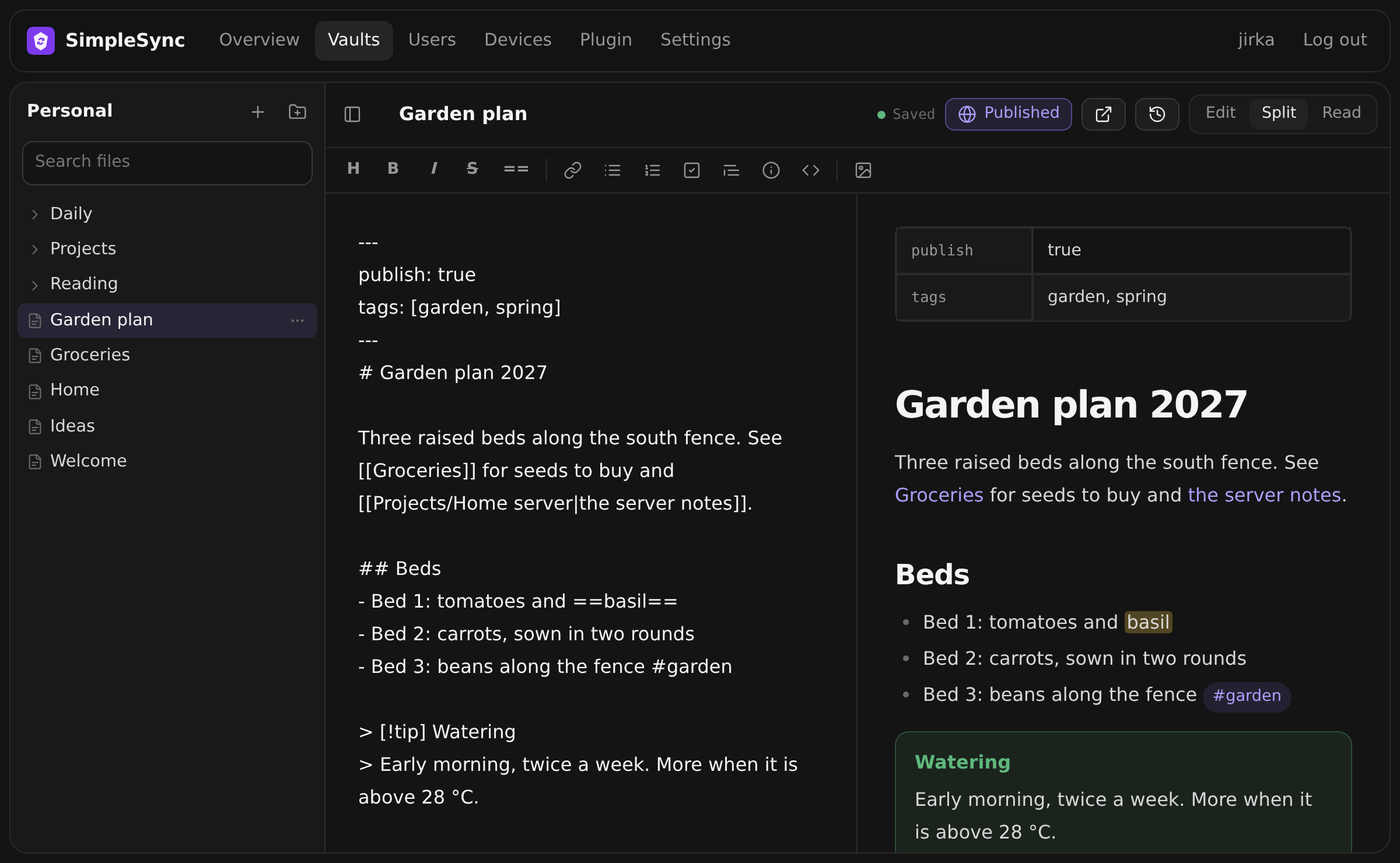
Changes reach Obsidian on every device within seconds, through the same sync as the plugin. Concurrent edits are merged line by line.
Live preview of [[wikilinks]], embedded images, callouts, highlights, tags, tasks, tables and properties.
Create, rename and delete notes and folders. Paste or drop images, type [[ to link a note.
Owners and editors can write. Read-only members get a clean reading view.
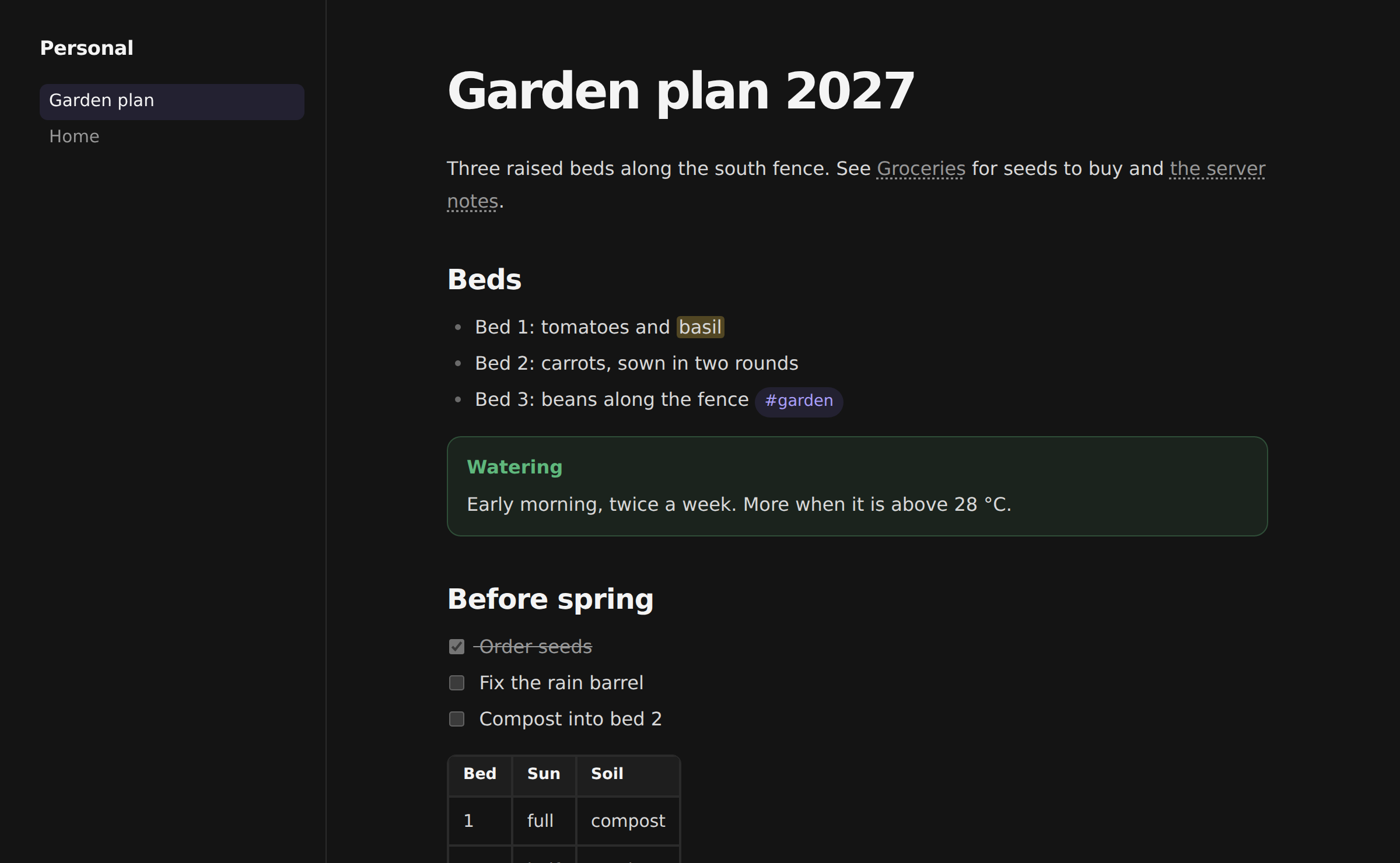
Mark a note with publish: true, or publish a whole folder, and it appears on a public site served by your own server. Anyone with the address can read it, no account needed.
Every write is checked against the version the device last saw. If another device got there first, SimpleSync runs a three-way merge, and changes on different lines simply combine. If the same line changed on both sides, the server version stays and yours is saved next to it as Groceries (conflict 2026-09-26 1530 jirka).md.
Users, vaults, sharing, devices, history and backups. These are real screenshots.
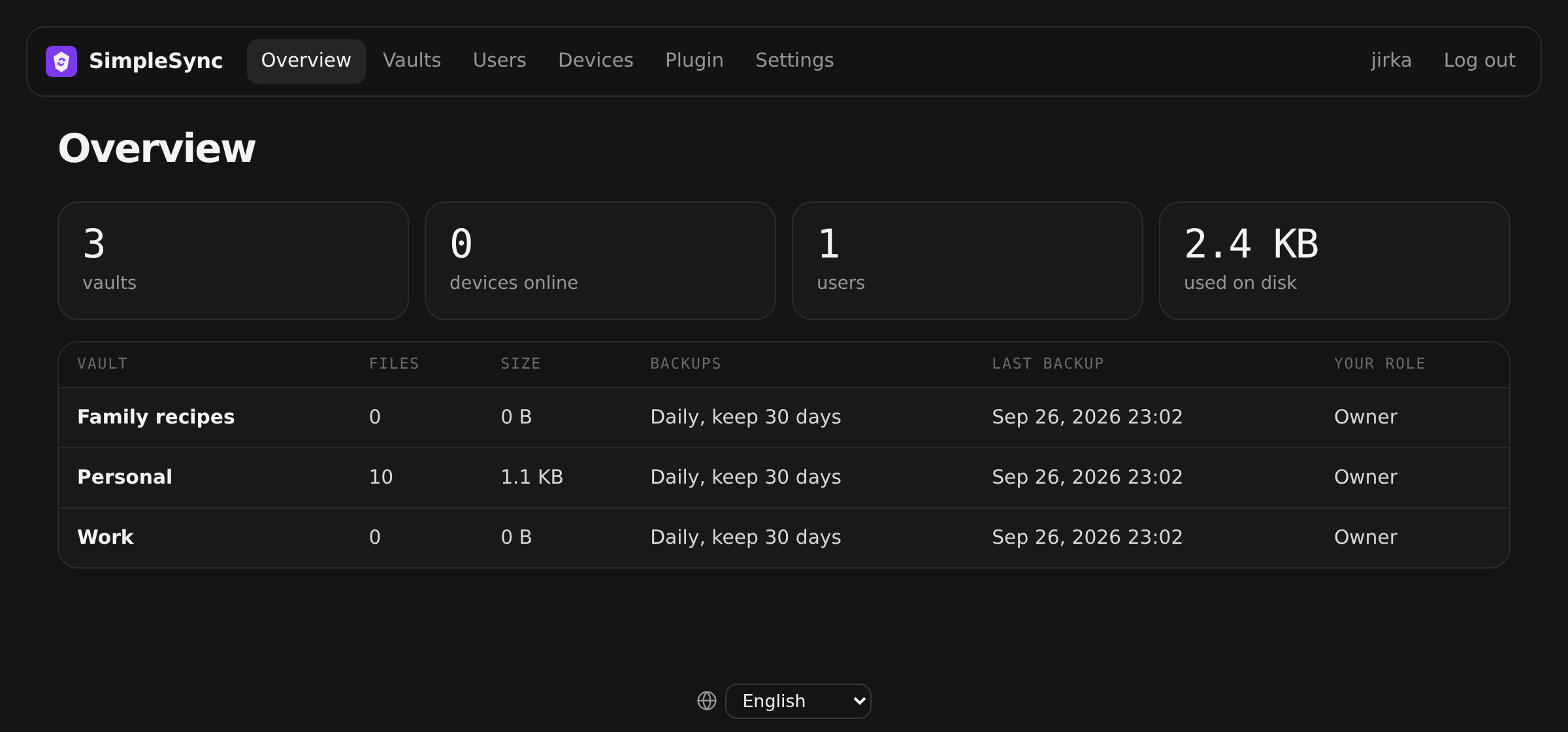
Overview: your vaults, their backup plans, devices online and disk usage.
Start the server where it suits you, open its address in a browser and create the administrator account right away.
App Store›+›Install a customized app›YAML. Delete what's there, paste this, click Install and open http://<zimaos-ip>:8080.
name: obsisync
services:
  obsisync:
    image: ghcr.io/jirkacepelka/obsisync:latest
    container_name: obsisync
    restart: unless-stopped
    ports:
      - target: 8080
        published: "8080"
        protocol: tcp
    environment:
      TZ: Europe/Prague
    volumes:
      - type: bind
        source: /DATA/AppData/obsisync/data
        target: /data
x-casaos:
  architectures:
    - amd64
    - arm64
  main: obsisync
  category: Utilities
  title:
    en_us: SimpleSync
  tagline:
    en_us: Simple self-hosted sync for Obsidian
  icon: https://raw.githubusercontent.com/jirkacepelka/SimpleSync/main/server/internal/web/static/icon.svg
  index: /
  port_map: "8080"
  scheme: http
Point a DNS A record such as sync.example.com at the VPS, then run this. Caddy gets the HTTPS certificate by itself. A 1 GB RAM VPS is enough.
mkdir simplesync && cd simplesync
curl -O https://raw.githubusercontent.com/jirkacepelka/SimpleSync/main/deploy/docker-compose.caddy.yml
DOMAIN=sync.example.com docker compose -f docker-compose.caddy.yml up -d
Anything with Docker: a NAS, a Raspberry Pi, a home server.
docker run -d --name obsisync -p 8080:8080 -e TZ=Europe/Prague \
  -v $PWD/data:/data --restart unless-stopped \
  ghcr.io/jirkacepelka/obsisync:latest
SimpleSync is not end-to-end encrypted. It doesn't need to be: the only one who can read the server is you.
The plugin talks only to the server address you enter. No telemetry, no cloud service, no account with anyone else.
Your password is used once to get a device token. The server keeps only a hash of the token, and passwords are hashed with Argon2id.
Every request is authorized by the server and login guessing is throttled per address and per account. Use HTTPS to encrypt traffic in transit.
Yes. SimpleSync is open source under the MIT license. You only pay for the machine it runs on, which is often a box you already own.
It does the same job, keeping vaults in sync between devices, but on your own server. Obsidian Sync is a great paid service; SimpleSync is for people who want to self-host.
If the vault on the server has content, the server always wins: the device becomes an exact copy and nothing is uploaded from it. Files that were only on the device are moved to Obsidian's trash, so nothing is lost. The plugin warns you before this happens. To upload an existing vault, use “Create a new vault from this one”.
Yes. On a VPS you get HTTPS automatically. At home, the easiest way is Tailscale or a Cloudflare Tunnel. See Reach it from anywhere.
No. Every vault can be opened and edited in the browser, on the server's own web page. Changes show up in Obsidian on your other devices within seconds.
Only what you publish. Publishing is off until a vault owner turns it on, and then only notes marked publish: true (or one chosen folder) are on the public site. Everything else needs a login.
No. The server can read the notes, which is what makes version previews and server-side backups possible. Since you run the server, that's you.
Everything lives in one data folder. Copy it, or use the built-in scheduled backups with optional ZIP files.
Set it up once and forget it's there.